You know the feeling. It is 3 p.m., your shoulders are tight, your lower back aches, and your eyes burn after hours on a screen. Slack keeps pinging, and the task list somehow got longer during back-to-back calls.
You can start fixing this without a big budget or a six-month rollout. A practical 90-day plan that pairs ergonomic fixes, short movement resets, and psychosocial controls can cut discomfort fast. Psychosocial controls reduce work factors that harm mental health, such as overload, low control, and poor behaviour.
Under Australian work health and safety, or WHS, laws, employers must manage both physical and psychological hazards. That means the most useful plan deals with chairs and workloads, movement and team behaviour, data and daily habits.
Key Takeaways
These points show where to start and what to track first.
-
Pair design, movement, and manager habits. If you fix only one area, the same pain or stress problem usually returns.
-
Treat psychosocial hazards like any other risk. The model WHS Regulations and the 2022 Code of Practice make that expectation clear.
-
Start with fast wins. Better chair and monitor set-ups, short movement breaks, and a weekly discomfort pulse catch issues early.
-
Do not rely on rigid microbreak schedules alone. A 2024 Cochrane Review found low-certainty evidence that extra scheduled microbreaks by themselves reduce pain.
-
Track results inside 90 days. Follow discomfort, near misses, attendance, and corrected workstations to show progress quickly.
What Australian Teams Face
Musculoskeletal strain from poor set-ups and manual tasks sits beside rising psychosocial risk from workload pressure and low control.
The Numbers That Matter
In 2023, 200 Australian workers were fatally injured at work, up from 195 in 2022. Body stressing was the leading cause of serious workers' compensation claims at about 32.7 percent. Preliminary 2022-23 data show that 35.5 percent of serious claims were traumatic joint, ligament, muscle, and tendon injuries, or roughly 49,300 claims.
An estimated 3.5 percent of Australians experienced a work-related injury or illness in the prior 12 months. Over the past decade, Australia recorded more than 1,850 traumatic injury fatalities and over 1.14 million serious claims.
Spot Early Warning Signs
Watch for tingling hands, persistent neck stiffness, dry or irritated eyes, and a spike in minor incidents. Also look for presenteeism, which means people are at work but not functioning well because of pain or stress.
On the psychosocial side, short tempers, missed deadlines, and withdrawal from team interactions are strong red flags. If you notice several signs at once, act before they turn into leave or claims.
Consult and Co-Design
Involving workers and health and safety representatives cuts blind spots. It also supports the duties of a person conducting a business or undertaking, or PCBU, to manage risks to psychological health so far as is reasonably practicable.
Keep consultation notes on file and feed them into your risk register. A short record of what workers raised, what changed, and what still needs work is usually enough.
Build a Baseline in One Week
A quick, low-cost baseline lets you prioritise fixes and show progress next month.
-
Run a five-minute desk self-check for chair height, monitor distance, and keyboard and mouse reach.
-
Issue a 10-item discomfort pulse that covers the neck, shoulders, back, wrists, and eyes on a zero-to-ten scale.
-
Scan for red-flag tasks involving manual handling or still postures held longer than 30 minutes.
-
Conduct a psychosocial check-in that covers capacity, role clarity, and team civility.
Plot the results on a simple impact-versus-effort matrix. If people worry about survey fatigue, keep the pulse anonymous and close it in two minutes.
Fix the Workstation First
Simple physical adjustments deliver fast relief and are easy to audit across multiple sites.

Adjust Chair and Monitor
Set seat height so hips sit just above knees. Adjust the backrest for lumbar support. Position the monitor top at or slightly below eye level, 50 to 70 centimetres from your face.
A randomised controlled trial found that ergonomic adjustments plus stretching significantly reduced neck, shoulder, and lower-back discomfort over six months in office workers.
Position Input Devices
Keep the keyboard close to the body with elbows at roughly 90 degrees. Place the mouse at the same height. Consider split keyboards or vertical mice for persistent wrist or forearm discomfort.
Use Sit-Stand Stations Well
Alternate postures rather than standing all day. Start with 20 to 30 minute standing blocks a few times daily, then adjust based on comfort and fatigue.
Reference photos help remote staff copy the right set-up without waiting for a site visit.
Build Recovery Into the Day
Short, regular movement is low risk and improves comfort and alertness, but adherence matters more than a perfect schedule.
Set a Microbreak Rhythm
Work in blocks of 30 to 60 minutes, then take two to five minutes to stand, walk, or do simple mobility exercises. Shared calendar nudges or a visible timer make the habit easier to keep.
If reminders feel annoying, start with three planned breaks a day and build from there. The goal is repeatable recovery, not a rigid rule people ignore.
Protect Eyes With the 20-20-20 Cue
Comcare recommends the 20-20-20 rule. Every 20 minutes, look at something six metres away for 20 seconds. Add blink reminders and reduce screen glare by repositioning monitors or adjusting overhead lighting.
Create Spaces People Will Actually Use
Set up a quiet area with supportive seating, low noise, and clear rules for 10-minute resets. Where space is limited, choose equipment that supports brief seated recovery without complicated instructions, extra staffing, or ongoing setup for daily use. If you are fitting out a compact quiet room for micro-recovery breaks, Relax For Life's quality massage recliner Australia can help workers ease back and shoulder tightness without extra training or maintenance.
Keep the space clean with posted hygiene guidelines. A simple booking system also stops the room from becoming a hiding place or a source of conflict.
Make Manual Tasks Safer
Reduce force, awkward reaches, and repetition before you rely on personal protective equipment.
Eliminate or Automate
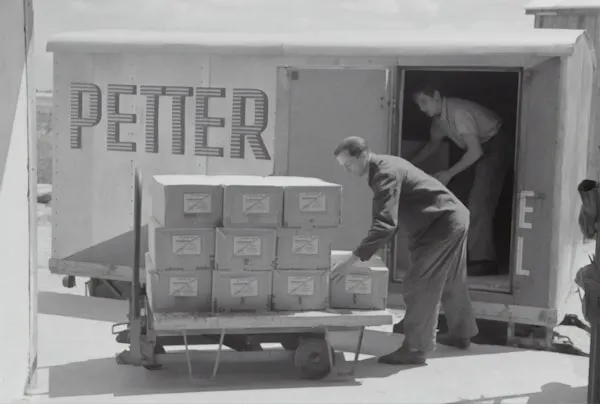
Use a trolley instead of carrying. Choose lever tools over wrist-twisting alternatives. Pre-position heavy items at waist height to cut bending and lifting.
Rotate and Alternate
Rotate high-load tasks among team members and alternate sides where possible. This cuts cumulative strain on any single body region.
Run Manual Tasks Briefings
Hold five-minute pre-task reviews that cover lift paths, team lifts, and clear drop zones. These short briefings catch risks that written procedures miss.
Use Culture to Lower Stress
Manager habits shape workload, control, and civility more than most teams realise.

Psychosocial hazards are now addressed directly by the model WHS Regulations and the 2022 Model Code of Practice. Small changes in control and clarity usually matter more than polished wellbeing slogans.
Hold Weekly Capacity Check-Ins
Ask about peak-load periods, blockers, and role friction. Capture at least one action in each check-in. This can be a five-minute standing chat, not a new formal meeting.
Set Clear Deadlines and Choice
Give realistic timeframes and small autonomy levers. Letting someone choose task order or break timing can buffer stress without changing outputs.
Offer Early Support Pathways
Normalise early access to an employee assistance program, or EAP, peer support, GPs, physiotherapists, and psychologists. Adjust duties temporarily where needed and document the process.
Follow a 90-Day Rollout Plan
Three short sprints create visible change, build habits, and make progress easier to defend.
Sprint 1, Weeks 1 to 2: Complete the baseline assessment, fix priority desks, start the discomfort pulse and near-miss log, and set microbreak cues. Visible wins in the first two weeks make later changes easier to sell.
Sprint 2, Weeks 3 to 6: Redesign the top three high-risk tasks, set up a quiet recovery space, coach managers on capacity check-ins, and publish a short civility guidance note.
Sprint 3, Weeks 7 to 12: Fine-tune sit-stand routines, review microbreak adherence, refresh workstation reference photos, run a 30-minute leader refresher, and check data trends.
Keep an approvals checklist that covers consultation notes, risk register updates, and toolbox talk records. That paper trail matters if an issue escalates later.
Measure What Matters
Use leading and lagging indicators together so progress shows up before claims data moves.
Leading: weekly discomfort averages, microbreak adherence, corrected workstation count, and manager check-in completion rate.
Lagging: incident and near-miss trends, manual task injury rates, absenteeism, and return-to-work duration.
The business case is real. National estimates suggest that eliminating work injuries could lift Australia's economy by about $28.6 billion each year. A one-page monthly summary that maps actions to WHS duties keeps executives focused on both compliance and value.
Upskill Your People
Targeted training for supervisors and health and safety representatives lifts compliance and consistency across sites.

Use Short Modules
Cover workstation set-ups, manual task cues, and psychosocial risk basics in bite-sized sessions. Fifteen to 30 minutes is enough to build awareness without pulling people off the floor for half a day.
Consider External Accreditation
When leaders supervise multiple sites or manage complex risk registers, formal qualifications add rigour. They also give supervisors and HSRs a shared language for consultation, incident review, and practical control selection across sites. That helps day to day when coaching teams, updating registers, and documenting decisions. In South Australia, frontline leaders can get your certificate IV workplace health and safety in Adelaide with First Aid Certification and Training (BSB41419) to formalise risk management capability for both physical and psychosocial hazards.
Frequently Asked Questions
What Is the Simplest Way to Improve Desk Comfort This Week?
Start with three adjustments. Raise or lower the chair so the hips sit just above the knees. Move the monitor so the top edge is at eye level and roughly an arm's length away. Pull the keyboard closer so the elbows rest at about 90 degrees. These changes take about five minutes, and most people notice relief the same day.
How Often Should Teams Take Short Movement Breaks Without Hurting Productivity?
Aim for two to five minutes of standing, walking, or light stretching every 30 to 60 minutes. The research on rigid schedules is mixed, so make breaks easy and repeatable rather than perfectly timed. Shared calendar reminders or a team timer help without breaking focus.
How Can Managers Reduce Pressure Without Adding New Meetings?
Replace one existing touchpoint with a five-minute capacity check-in. Ask about peak workload, blockers, and role friction. Capture one action item and follow up. This turns a routine conversation into a practical control without adding another calendar event.
What Metrics Show That the Changes Are Working?
Track weekly discomfort pulse scores, microbreak adherence, and the number of corrected workstations as leading indicators. Pair those with lagging data such as incident trends, absenteeism rates, and return-to-work duration. A one-page monthly summary that maps results to WHS duties keeps leaders informed and makes the next round of improvements easier to approve. Start with the workstation, add short movement and eye resets, and coach managers on workload and civility. Consult workers, document each improvement, and review the data every month. These steps cost little, show results inside a quarter, and leave you with a clear compliance trail when it matters most.

Reviewed by